Blackout
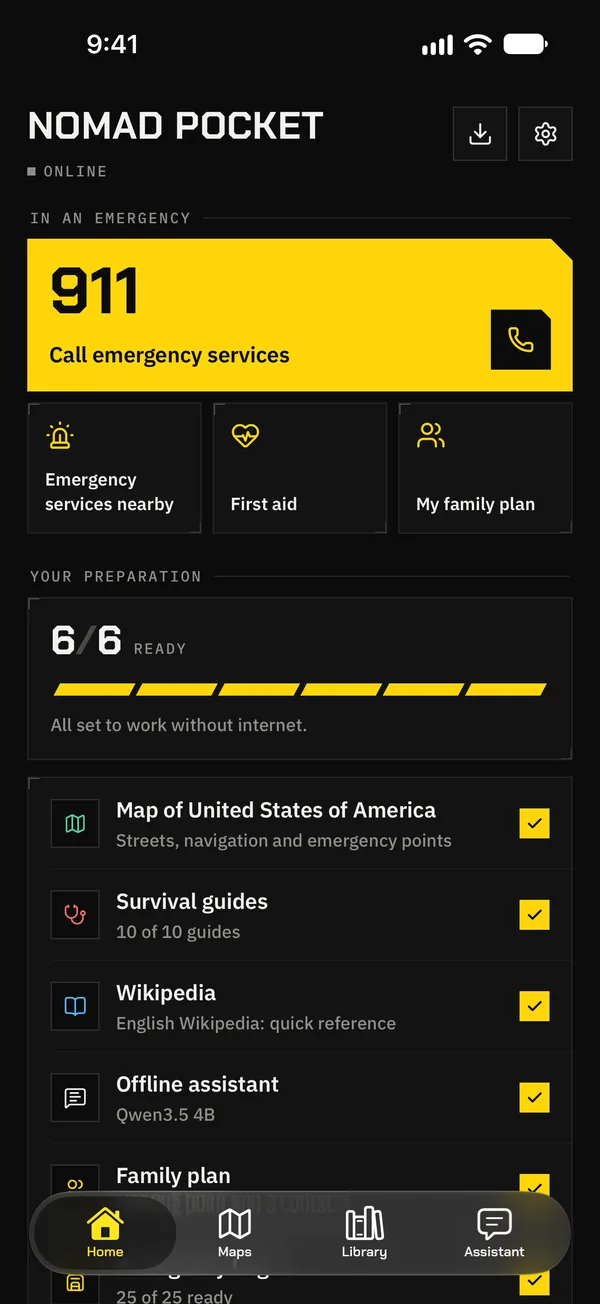
Without power, cell towers don’t last long. Your maps, guides and plan stay on your phone.
Offline · everything works
Set it up today while you’re online; tomorrow it works with no internet, no signal and no power. With nearby hospitals, Wikipedia, courses and an AI that lives on your phone. Free and open source.
 Coming soonAndroid · Google Play
01 / Why
28·04·202512:33 · Spain and Portugal
That Monday, Spain and Portugal lost power for hours. Without electricity, cell towers lasted as long as their batteries did, and many phones were left with no data and no signal: no maps, no search, no way to look up what to do.
A blackout, a cyberattack, a storm or a massive IT failure is enough to silence your phone right when you need it most. Nomad Pocket keeps the essentials on the phone itself, so it keeps working when everything else fails.
Without power, cell towers don’t last long. Your maps, guides and plan stay on your phone.
Your carrier or a big cloud service fails. Nothing you carry depends on them.
If the networks or services you use are attacked, what’s yours stays on your phone, intact.
When the weather takes the network down, you know where the shelter, water or hospital is.
Mountains, sea, a remote road: routes and answers without a single bar of signal.
Abroad with no roaming or local SIM, with the local map and emergency numbers.
Network: ConnectedOffline
 With Nomad Pocket
Your maps, guides and answers live on your phone, not on a server: if the network goes down, they don’t depend on it.
02 / What’s in your pocket
Everything you’d look up online in an emergency, downloaded in advance and ready to use with no network.
Maps and navigation
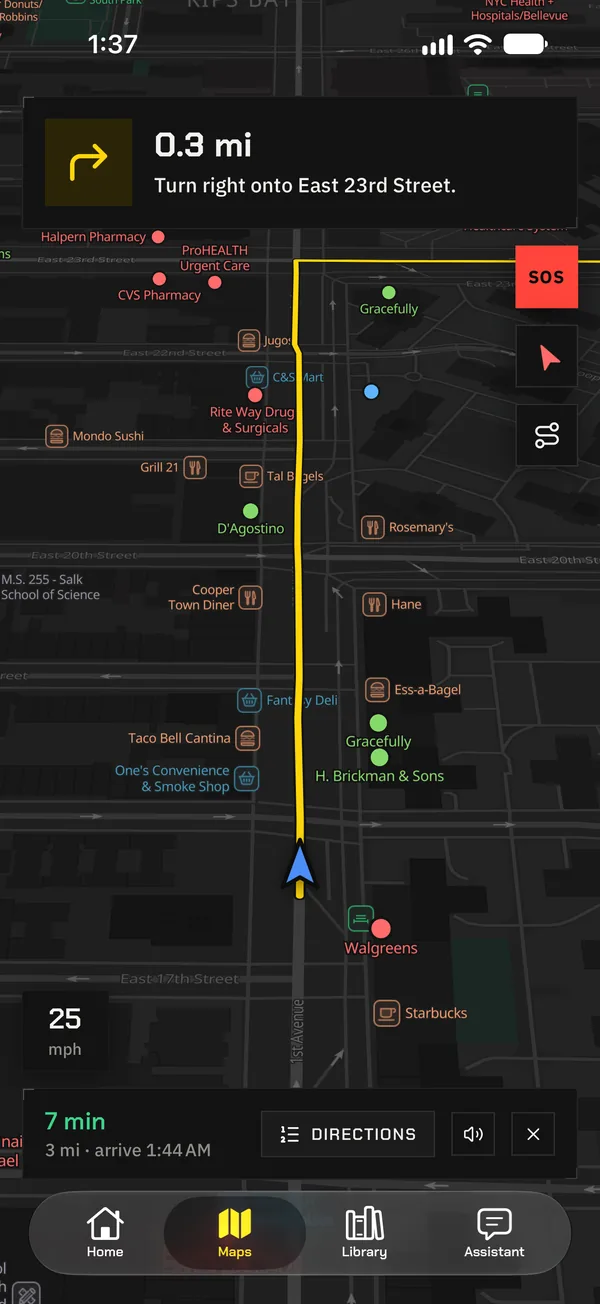
Your whole country on your phone: every street, path and building. Get routes by car, on foot or by bike with no network, with spoken directions that keep guiding you with the screen locked.
Emergency
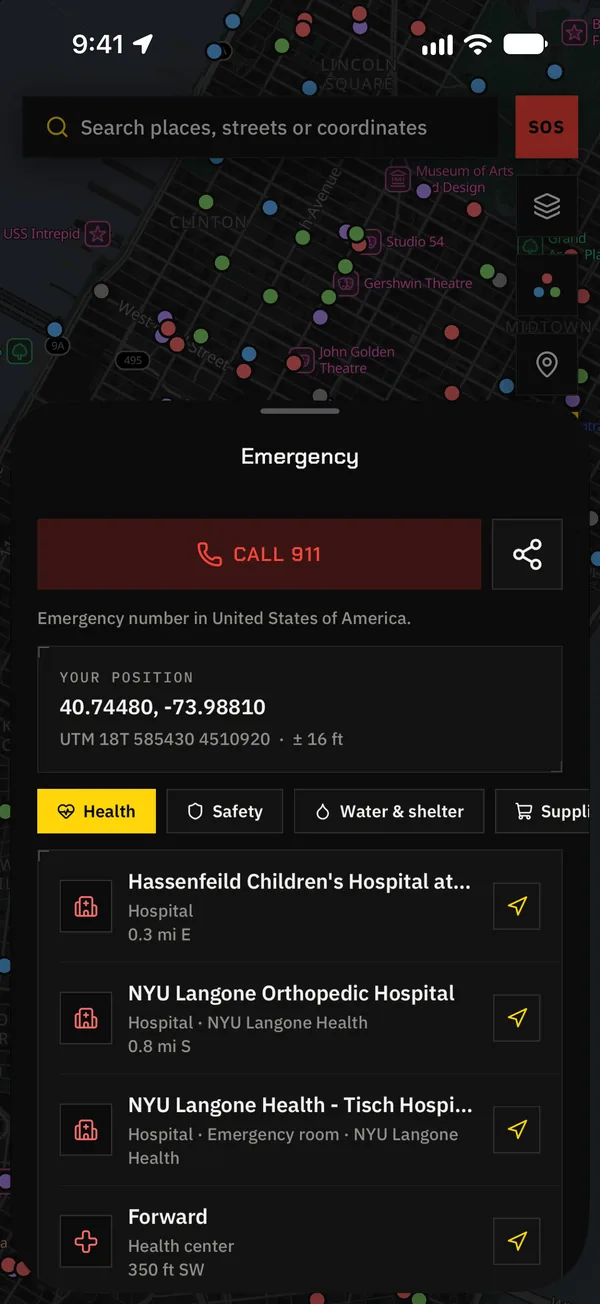
Hospitals, pharmacies, defibrillators, police, fire stations, drinking water and shelters, sorted by distance and direction. One tap and it takes you there.
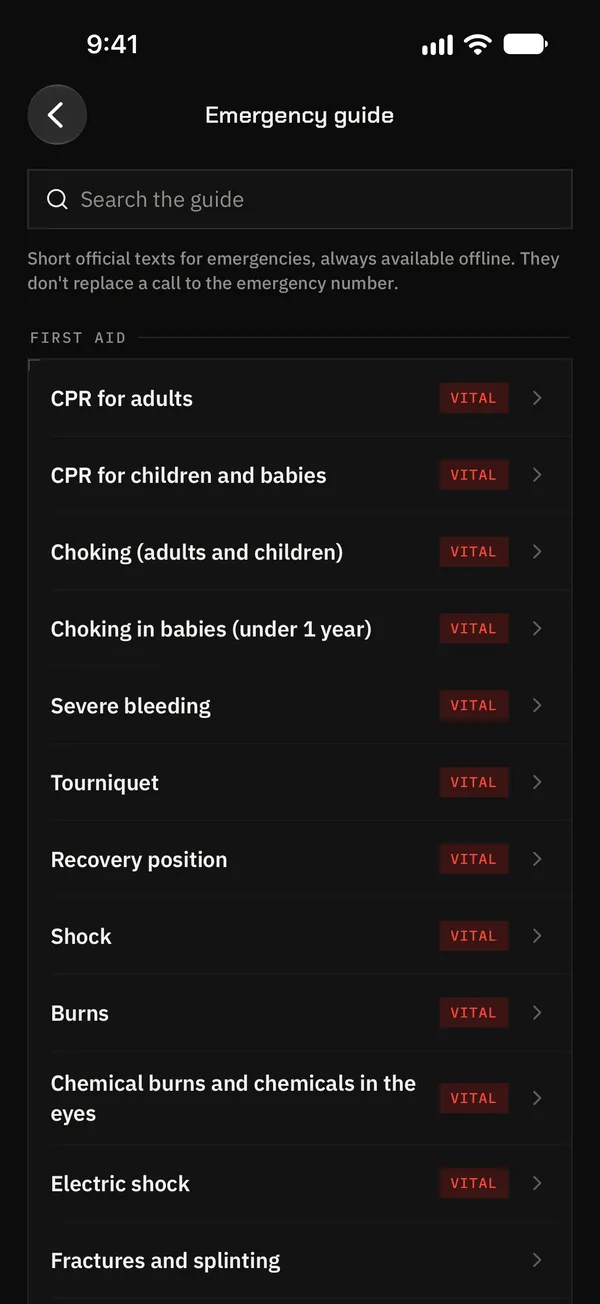
Emergency guide
200+ cards from official sources: CPR, bleeding, burns, choking, fires, floods… In the app from the first minute, nothing to download.
First aid and medical information: on iPhone and iPad.
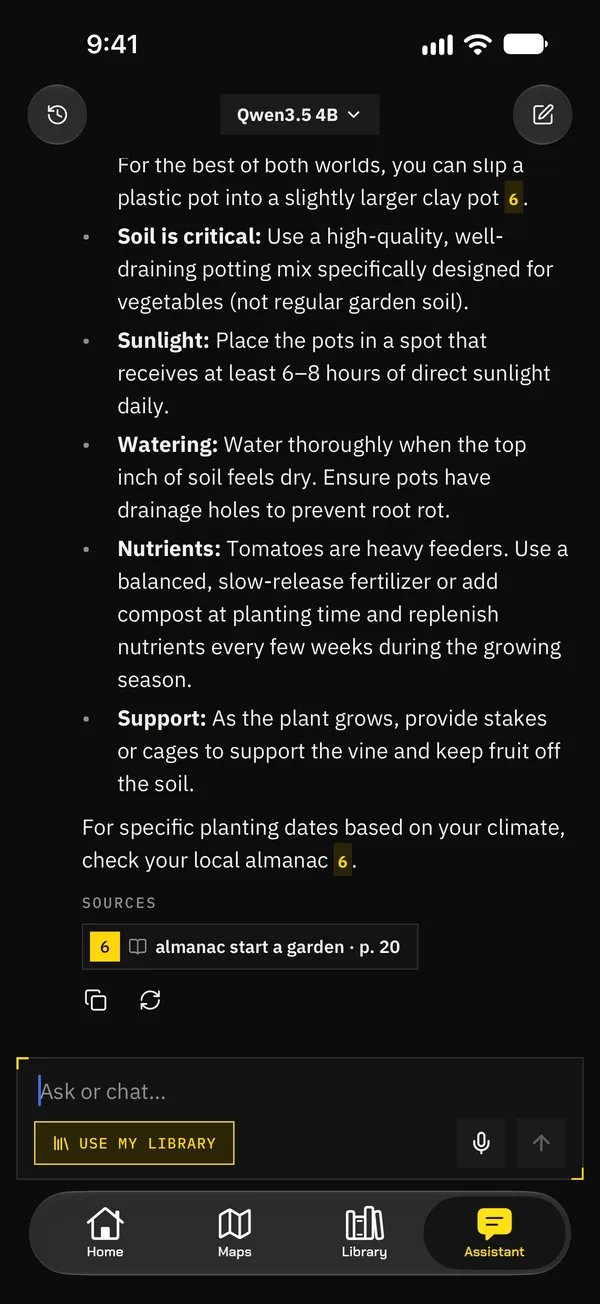
Offline assistant
Ask “how do I make water safe to drink?” in the middle of nowhere: it answers from your library and shows its sources. It runs on your phone, with Apple Intelligence or an open model you download.
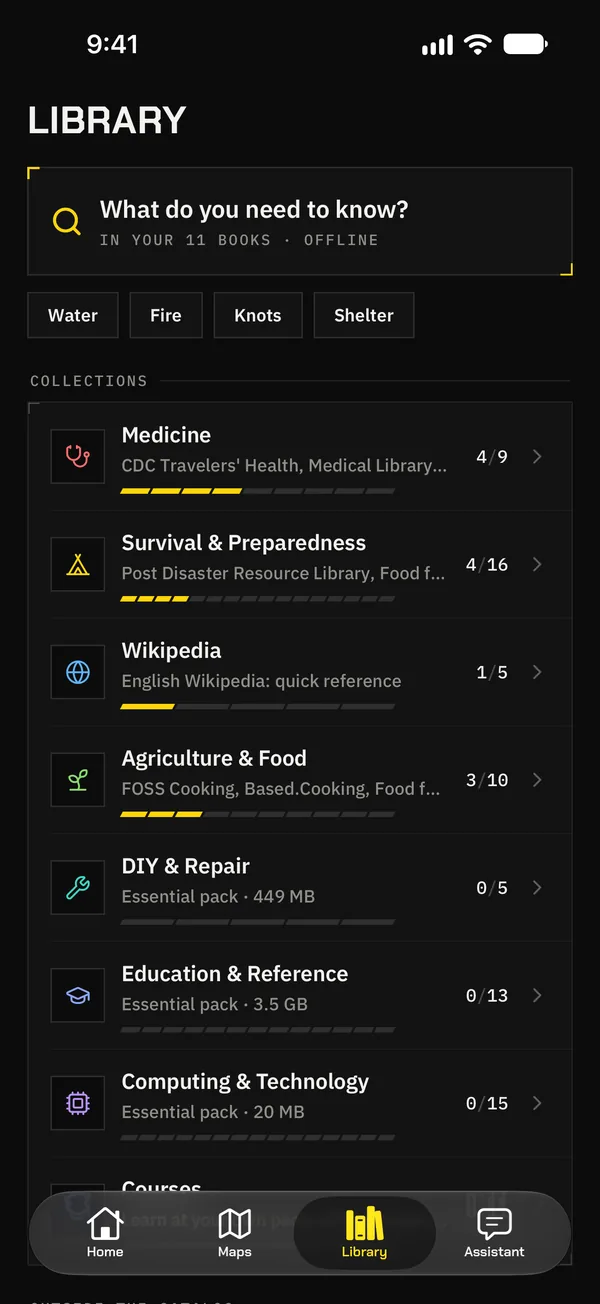
Library
The whole of Wikipedia or its essential articles, to fit your storage. 100+ archives on survival, water and food, farming, repairs and more, plus thousands from the Kiwix catalog.
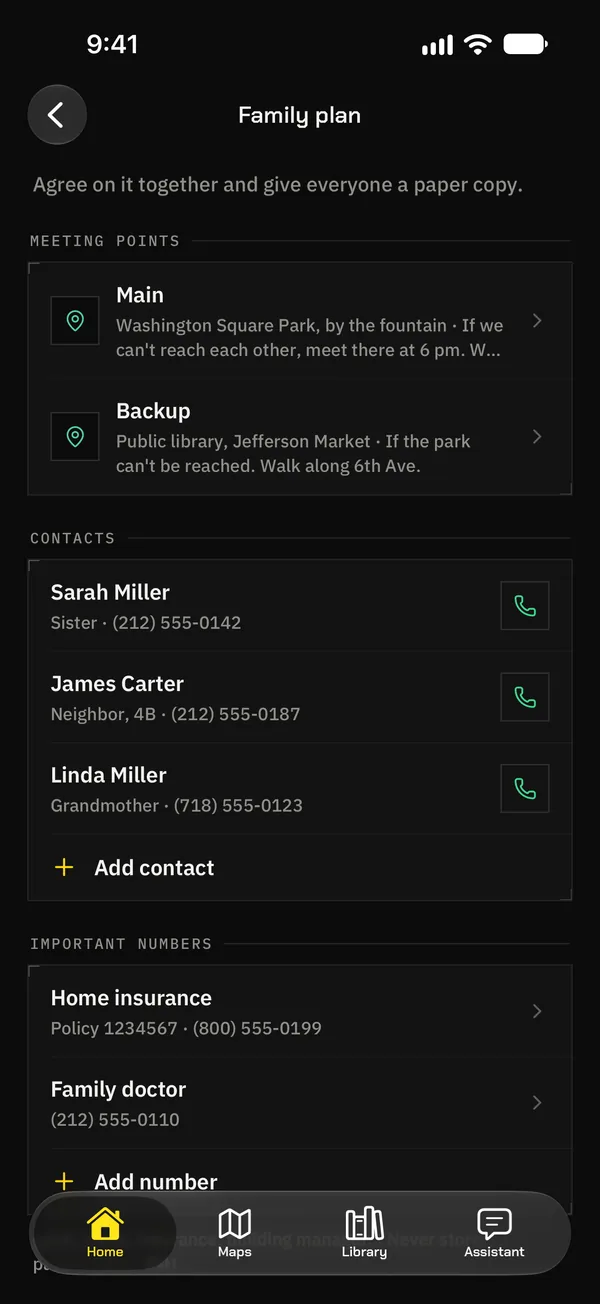
Plan and bag
Meeting points, contacts and everyone’s details, also as a printable PDF. And an emergency bag sized to your household, with expiry reminders.
03 / How it works
Set it up today, while you’re online. Tomorrow you won’t need to be.
The app proposes a kit sized for your country and your phone’s storage: map and routes, guides, Wikipedia and the assistant.
Leave it downloading. Home tells you how prepared you are and what’s missing, so you can finish while the network is up.
In airplane mode, in a blackout or in the middle of nowhere. And when your maps have newer versions, it lets you know.
04 / Yours and nobody else’s
We collect no data: your plan, your contacts, your location and your questions never leave your phone. And since Nomad Pocket doesn’t depend on any server of its own, there’s nothing to go down.
Nomad Pocket is free software (GPL‑3.0) inspired by Project N.O.M.A.D. You can read every line, suggest changes or build it yourself. It stands on open data:
Nomad Pocket is not affiliated with these projects.
05 / FAQ
Yes. You only need a connection to download the content (Wi‑Fi is best) and to check for updates. After that, maps, routes, street search, emergency points, the guide, the library and the assistant all work in airplane mode.
Yes. GPS receives signals from satellites, not from the internet, so the map finds you even with no signal. The first fix may take a little longer than with data.
You decide. The welcome wizard suggests a kit for your country and free space (map and navigation, essential guides, Wikipedia and the assistant) and you can switch off each piece. A country takes from a few tens of MB to several GB.
There are maps, routes and emergency points for almost every country in the world, and a world map is built in from the first second. The app is in English and Spanish, and the library has content in many languages.
No catch: it’s free, with no ads, no purchases and no subscriptions. It’s an open source project with no server of its own, so there’s nothing to charge for and no data to sell.
iPhone and iPad with iOS 16.4 or later. Android 8.0 or later, coming soon to Google Play. The assistant uses Apple Intelligence where available; otherwise you download a model in the app (from about 500 MB; larger ones need more memory).
It’s in review on Google Play and coming soon, with maps, routes, emergency services, the library, the plan and the assistant. First aid and medical information are only on iPhone and iPad.
No. No accounts, no analytics, no ads, no tracking. What you do in the app stays on your device. The details are in the privacy policy.
No. It helps when there’s no network, but the AI can make mistakes and medical information is no substitute for a professional. If you can, always call the emergency number.
Free, open source and ready in a minute. It works when everything else fails.
Coming soonAndroid · Google PlayEmail us or open an issue: we answer everything.